Know the total before you reach the checkout.

BasketRun remembers what things cost. Plan the run with last time's prices and share one live list with everyone at home.

Free with a small ad. Premium removes it. For iPhone, iPad and Android.

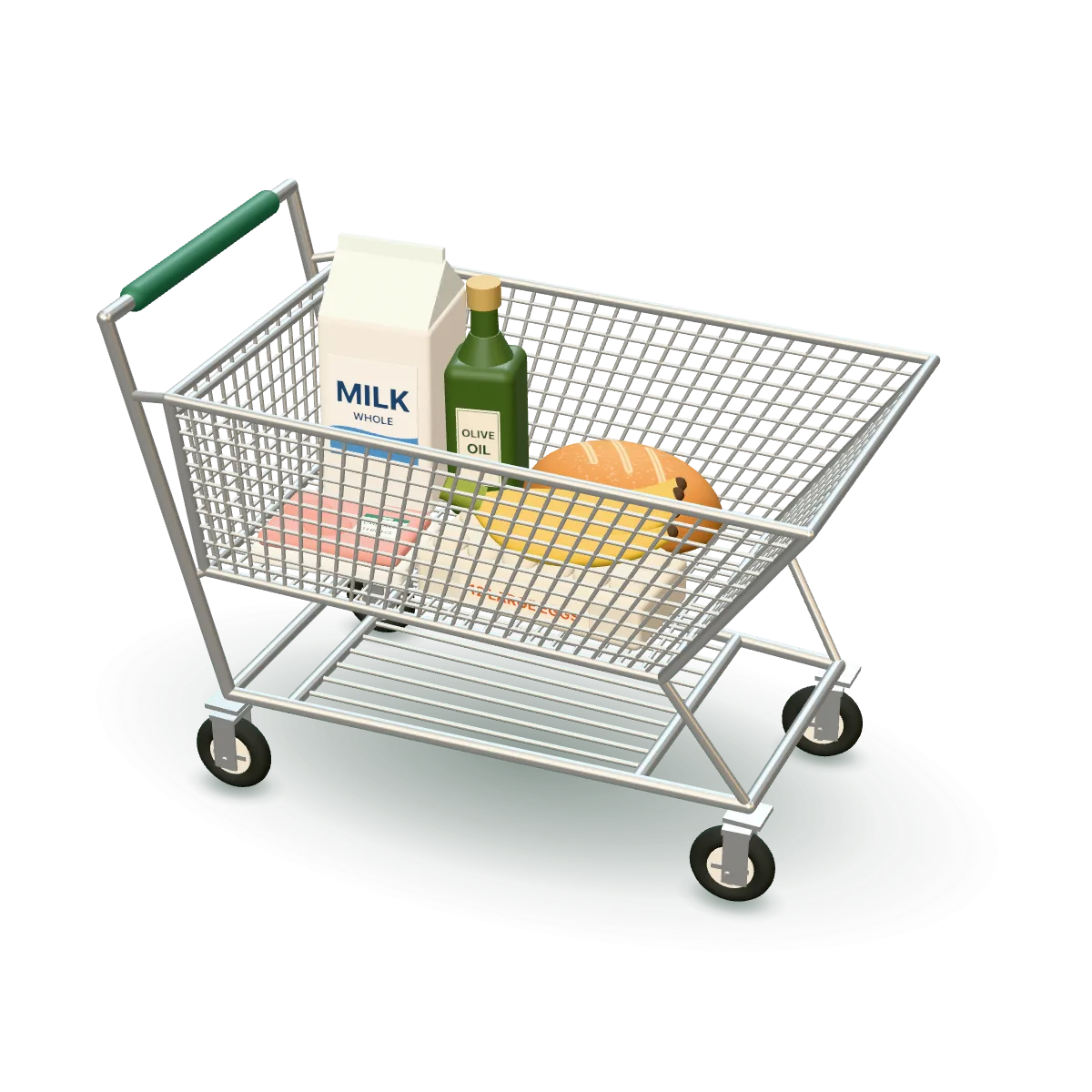
A shopping cart holding milk, a dozen eggs, bananas, a sourdough loaf, a pack of chicken thighs and a bottle of olive oil.
In progress

Saturday run, Trader Joe's

Total $33.85 of $60 budget

The problem

Where grocery runs go wrong

  • The total is a surprise

    You find out what the run cost when the cashier reads it out.

  • Two of you buy the same thing

    Nobody knew someone else already picked up the eggs.

  • The list lives in one head

    When that person isn't the one shopping, things get missed.

How it works

Plan it, shop it, finish it

One run, from the list at home to the summary after checkout.

  1. Plan

    Add what you need. BasketRun fills in what you paid last time at that store, so you see the total against your budget before you leave.

  2. Shop

    Everyone at home shops the same list. Items come in the order you walk the store, and the total splits into what's in the cart and what's left to get.

  3. Finish

    Close the run to see what you got, what was out of stock and what you didn't get. Next time, the prices are already there.

Budget fit

Over budget? The Maybes go first.

Mark each item Must buy, Maybe or Not now. When the run goes over your budget, one tap drops the Maybes. Still over? Pick which Must buys to leave off, and they stay in your catalog for next time.

Must buy
You're getting it this run.
Maybe
Nice to have, if the money's there.
Not now
Stays on the list for another run.

You see you're over before you leave home, not at the till.

Features

What BasketRun does

Everything here is built and works today in the app.

Sharing

  • Shared household

    One list, live on every phone. People join with a short code and don't need an account.

  • While you were away

    See who added what while you were gone.

  • Photos and notes

    Add a photo or a note to an item, so whoever is shopping grabs the right brand.

Photos and notes

Budget and prices

  • Remembers prices, per store

    A run starts from what you last paid at that store.

  • Budget fit

    Mark items Must buy, Maybe or Not now. Over budget, one tap drops the Maybes first.

  • Stores

    Find grocery stores near you or type any name. Set the order departments come in for each store, and start a trip for a single store.

  • After the trip

    A summary of what you got, what was out of stock and what you didn't get.

Speed

  • Fast adding

    Paste a list from Notes or a message, or type “6 x eggs”.

  • Say it

    Say “we need eggs” or “got the milk”, check what BasketRun heard, and make the changes in one tap.

  • Siri and shortcuts

    Say “Add eggs to BasketRun” on iPhone. App icon shortcuts on iPhone and Android.

  • Favorites

    What you buy most, one tap away.

Favorites
Say it

Works anywhere

  • While shopping

    Big tap targets, items in the order you walk the store, and a running total of what's in the cart and what's left.

  • Progress on your Lock Screen

    On the iPhone Lock Screen and in the Dynamic Island, or as an ongoing notification on Android.

  • 12 languages

    English, Spanish, French, German, Portuguese (Brazil), Italian, Dutch, Polish, Turkish, Hindi, Indonesian and Arabic, with full right-to-left layout.

  • Every device

    iPhone, iPad, Android phones and tablets, in light and dark mode.

Lock Screen and Dynamic Island
Arabic, right to left
iPad
Offline first

Your list lives on your phone first

Works with no signal

Your lists and prices are saved on your phone, so everything works offline, even at the back of a store with one bar. Changes catch up when you're back online.

The account is optional

Use BasketRun with no sign-up. Sign in with Apple, Google or an email code when you want sync and sharing.

You choose what's shared

Backup, your household, reminders and what shows on your Lock Screen are all in Settings, in plain words.

Pricing

Free to use. Premium removes the ads.

Every feature on this page is in the free version.

Free

$0

Every feature, for one household.

  • All the features above
  • One household
  • Price history for the last 3 months
  • A small banner ad

Premium

7-day free trial

$19.99 a year

Or $2.99 a month. Paying yearly saves 44%, which is $15.89 a year.

  • Everything in Free
  • No ads
  • More than one household
  • Full price history
  • PDF export of your lists
Try Premium free at launch

Accounts are optional. BasketRun works with no sign-up. Signing in with Apple, Google or an email code turns on sync and sharing.

FAQ

Common questions

Do I need an account?

No. BasketRun works with no sign-up. Sign in with Apple, Google or an email code when you want sync and sharing. The people you invite join your household with a short code and don't need an account.

Does it work without signal?

Yes. Your lists and prices are saved on your phone, so everything works offline. When you're back online, your changes catch up with the rest of your household.

How does sharing work?

Share your household's short code. Everyone who joins sees the same list, live on their phone. When someone checks an item off, it's checked for everyone, and “While you were away” shows who added what while you were gone.

Which countries and currencies?

BasketRun is made for households in the US, the UK, Europe and other markets, and prices show in your local currency. The app comes in 12 languages: English, Spanish, French, German, Portuguese (Brazil), Italian, Dutch, Polish, Turkish, Hindi, Indonesian and Arabic, with full right-to-left layout.

What does Premium add?

No ads, more than one household, your full price history and PDF export of your lists. It costs $2.99 a month or $19.99 a year, and starts with a 7-day free trial.

Which phones does it run on?

iPhone, iPad, and Android phones and tablets, in light and dark mode.

Where is my data kept?

On your phone first. If you sign in, your lists sync so your household can share them. The Privacy Policy has the details.

When does it launch?

Soon, on iPhone, iPad and Android. The App Store and Google Play buttons on this page will open the app on launch day.

Plan your next run before you leave home

BasketRun is coming soon to iPhone, iPad and Android.

The full cart: milk, eggs, bananas, sourdough, chicken thighs and olive oil.